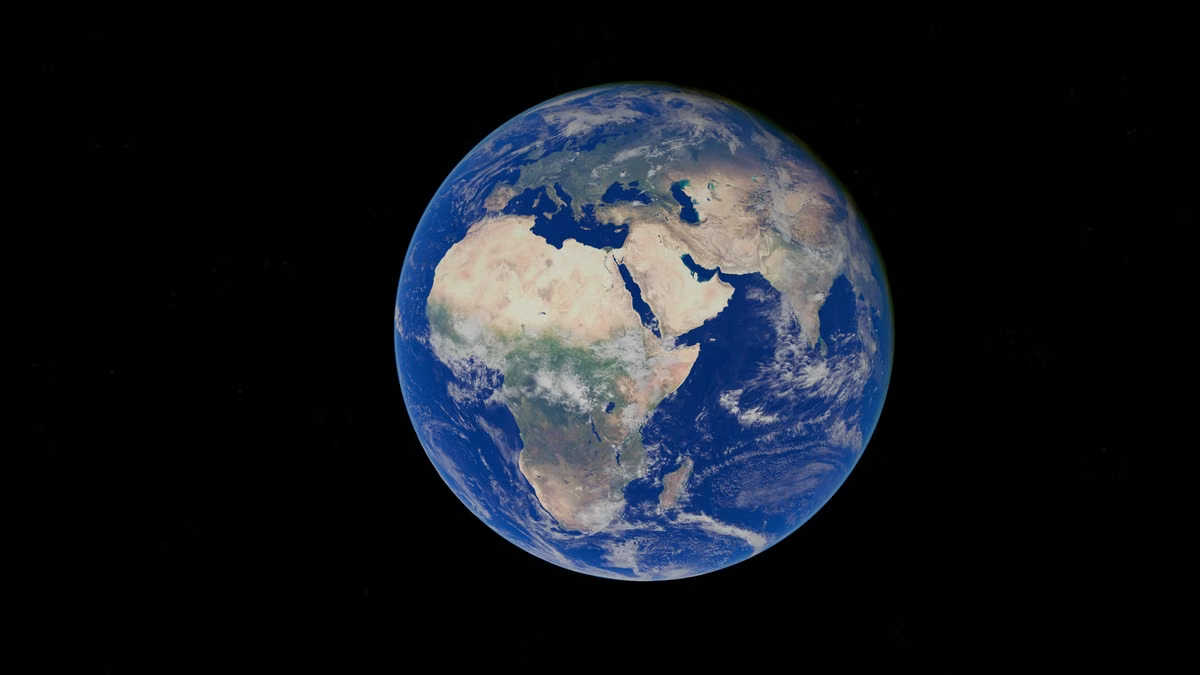
You found a dramatic Earth view labeled “God's Eye View,” but it doesn't say where the image came from or when it was captured.
Fastest answer: Treat God's Eye View as a viewing angle or presentation style, not proof of a particular satellite product or live feed. Check the source, date, and rendering method before describing the image as real or current.
This guide is for readers checking whether an image uses real satellite data, and for students, researchers, and creators comparing Earth visualizations. If you're checking a clip or screenshot, focus on its provenance rather than how convincing it looks.
What does God's Eye View mean?
God's Eye View usually describes a high, wide, or near-global perspective of Earth. It can refer to a camera angle in a film, a map visualization, a simulated globe, or a particular work or tool that uses the phrase as its name. The phrase alone does not identify a sensor, dataset, update schedule, or software product.
Start by identifying the context in which you found it:
- A general description: The words describe a viewpoint, such as a camera looking down from above.
- A title or project name: The phrase may identify a specific video, artwork, or visualization. Its description and creator are more useful than the title for judging its sources.
- A product or service name: Look for the product's documentation and data disclosures. Don't assume the name means that it provides satellite imagery, much less live imagery.
That distinction is useful because two images can look similar while being made in different ways. One might be a satellite observation rendered as a flat image. Another might place image tiles over a digital globe. A third might be fully illustrated or animated. The visual angle tells you where the virtual camera is; it doesn't tell you how the surface was made.
A practical rule: use “God's Eye View” to describe the perspective unless the creator documents a specific data source. Use “satellite imagery” only when you can trace the image to satellite observations. Use “live” only when the provider documents that the image is current enough for the claim being made.
Does God's Eye View use real satellite imagery?
Sometimes. A God's Eye View image may contain genuine satellite observations, but the phrase doesn't guarantee that. The image could instead use aerial photography, a map baselayer, terrain data, 3D building models, or a mixture of sources.
Google's explanation of how imagery is collected for Google Earth describes imagery coming from different sources, including satellites and aircraft. That matters because “Earth image” and “satellite image” are not interchangeable labels. An aerial image may show a detailed surface view without having been collected by a satellite. A map layer can also combine imagery captured at different times.
For a particular image, try to find these details:
- Provider or publisher: Who supplied the data, and who assembled or published the visualization?
- Collection or update date: Does the label refer to when the sensor captured the image, when a map layer was updated, or when the video was posted?
- Data type and processing: Is it a natural-colour photograph, a false-colour composite, a stitched basemap, or a rendered scene?
- Coverage and resolution: What location and level of detail does the source actually support?
The last point affects how you interpret apparent detail. As one documented example, USGS Landsat surface reflectance products use a 30-metre pixel size for their surface-reflectance data. That's a dataset-specific parameter, not a general resolution for satellite imagery. A close-looking view in a video could be a zoomed, sharpened, or composited rendering; it doesn't by itself prove that the original observation had that level of detail.
Satellite observations can also include information outside the visible colours people associate with a photograph. The USGS guide to Landsat band designations explains that Landsat instruments record data in multiple spectral bands. A visualization can combine those bands to emphasize features that aren't directly visible to the human eye. Such an image may be based on real measurements while still being processed rather than an untouched camera-like picture.
A credible image can still be old, processed, or assembled from several sources. “Real data” describes its basis; it does not automatically mean “live,” “unmodified,” or “captured in one pass.”
When the source is missing, be precise about what you can say. You can call it a “God's Eye View-style visualization” based on its appearance. You cannot reliably label it real-time satellite imagery just because it shows clouds, coastlines, or city lights in a convincing way.
How does it differ from 3D Earth simulations and Google Earth?
These terms describe different things. Satellite data refers to observations. A 3D Earth simulation refers to how a globe or scene is digitally represented. Google Earth is an interactive Earth-browsing tool that brings together geographic imagery and 3D content. They can overlap: real satellite imagery can be draped onto a 3D globe, and a simulation can use real geographic data without being a direct satellite photograph.
Satellite observation versus 3D rendering
A satellite image begins with sensor observations. Those observations may be corrected, combined, or styled for display. A 3D rendering adds a digital surface and a viewpoint: terrain may be represented as elevation, and buildings may be represented by 3D models or other data. The final picture can combine both.
To tell what you're looking at, separate the layers:
- Surface texture: Is it an image derived from an observation, a map layer, an illustration, or a composite?
- Terrain shape: Does the scene use elevation data, a simplified surface, or a designed model?
- Buildings and structures: Are they visible in the source image, reconstructed from other geographic data, or added as models?
- Camera and lighting: Are shadows and perspective consistent with a documented observation, or are they part of a rendered scene?
A simulation can use accurate terrain and still show a scene that never existed as a single photograph. Conversely, a real satellite image can be placed on a globe and shown with 3D terrain. “3D” describes a form of presentation, not the truth or age of every layer.
NASA's Landsat mission information also illustrates why sensor data and its display need to be distinguished. Landsat 8 and Landsat 9 together provide an eight-day revisit cycle, according to NASA's mission information. That is a repeat observation schedule, not a guarantee that every location will have a clear, usable image every eight days. Cloud cover, processing, and the particular visualization all affect what a viewer ultimately sees.
How Google Earth fits
Google Earth is a tool you can interact with to explore the planet. It is not a synonym for satellite imagery, and its interface doesn't make every view a live sensor feed. Google describes the imagery collection process as drawing on different sources and dates; its official product page presents the tool as a way to explore Earth's imagery and 3D environments.
That leads to a useful comparison:
- God's Eye View: A viewpoint or presentation label. The source and interaction depend on the specific work.
- 3D Earth simulation: A digital representation of Earth's surface or a scene. It may use real geographic inputs, but its rendering is not necessarily a direct photograph.
- Google Earth: An interactive browsing tool whose displayed imagery and 3D content may come from different source types and dates.
Google Earth includes historical imagery features, but the available timeline is tied to the imagery available for a location. Its historical imagery guidance is a better basis for checking time context than assuming the current view is current-day photography. Google Earth Studio's attribution guidance is also relevant when a creator publishes imagery or animation made with that tool: attribution helps identify the product context, but it is not by itself a complete record of when each image was captured.
For a broad satellite-data reference, NASA's Worldview interface exposes imagery with time and layer controls. That makes the selected layer and timestamp part of the evidence. It still doesn't mean every layer represents the same sensor, resolution, or capture time.
A quick scenario
Suppose a short video shows a camera gliding from a globe down to a city, with buildings rising into view. The clip may use real map imagery, terrain data, and 3D building content, then add camera movement in editing. If its caption says “live satellite view” but gives no provider, date, or layer information, the claim is unsupported by the cinematic effect.
If the creator names Google Earth Studio, you have a clue about the animation tool, not necessarily the source date of every image. Check the attribution and source notes, then look for the imagery date separately. If the creator provides a satellite provider and acquisition date, you can evaluate the observation as data rather than judging it from its polished appearance.
The key distinction: a real geographic input can appear inside a simulated scene; a realistic-looking scene is not proof of a live observation.
How can you check whether a God's Eye View is live satellite data?
Use this sequence before you share, cite, or describe a view. It works for a still image, an animation, or a screen recording.
- [ ] Find the original publisher. Trace the clip or screenshot to the creator, institution, or data provider. A repost without attribution is not an original source.
- [ ] Locate the data source. Look for a satellite mission, imagery provider, map layer, or named 3D dataset. If the only source is a phrase such as “God's Eye View,” the underlying data remains unknown.
- [ ] Check what the date refers to. Separate the capture date from a map update date, video upload date, or date selected in a timeline. Do not treat one as a substitute for another.
- [ ] Identify the rendering method. Look for notes about composites, false-colour bands, terrain, 3D buildings, animation, or post-production.
- [ ] Match the claim to the evidence. If the source documents a dated observation, call it satellite imagery from that date. If it documents a 3D rendering, describe it as a visualization. If no date or provider is available, say those details are unverified.
For live-data claims, demand more than an upload timestamp or a moving camera. A valid claim needs a named data source and a documented time context. NASA Worldview's time and layer controls can help you understand how a satellite-data viewer presents those choices, while the Landsat surface-reflectance documentation shows how a defined product can be tied to specific processing and pixel-size information. Neither source can authenticate an unrelated clip unless that clip points to the same dataset.
If you can't trace a view to its provider and observation date, stop at “source not verified.” Detail, smooth motion, or a fresh-looking timestamp cannot fill that gap.
Use the following decision points when you need a quick classification:
- If the material names a sensor or imagery provider and an acquisition date, assess it as a documented observation.
- If it describes terrain, buildings, a virtual camera, or an animated journey, assess the rendering separately from its data inputs.
- If it is an interactive Earth browser, check the product's source notes and date information for the specific layer or location.
- If those details are absent, describe what is visible without claiming that it is satellite-captured or live.
This process doesn't prove that every image is authentic. It limits your claim to what the source actually establishes, which is the right standard for a class project, research note, or public post.
Choose the term that matches the evidence
Use the label that describes the thing you can verify, not the one that sounds most impressive.
- Use “God's Eye View” when you mean a high or broad viewpoint, or when it is the documented title of a specific work.
- Use “satellite imagery” when you can identify the observation source and supporting documentation.
- Use “3D Earth simulation” or “3D visualization” when the defining feature is a digitally rendered globe, terrain, or scene.
- Use “Google Earth” when you mean the interactive product, and check its source and date information before making claims about a particular image.
For most viewers, the fastest way to avoid a mistaken description is to check the original publisher, locate a capture or update date, and identify whether the scene is observed, modeled, or mixed. Those checks matter more than whether the final image looks like something a satellite could have recorded.
If you're moving from image verification to testing a 3D globe in a Mac environment, first decide whether your task is occasional browser viewing or repeated application testing. Local hardware and browser settings can make results harder to compare across devices; a remote Mac can offer a separate environment for a short test, but it is not a better fit if you need a dedicated machine for constant, heavy workloads or physical peripherals. You can review Kvmjet's infrastructure overview before deciding whether that setup fits. If you're evaluating browser or display requirements before trying a remote environment, the Kvmjet help center is another place to check for setup guidance. For a single clip, though, start with its source and date: renting a Mac won't make an unverified image more authentic.
Make Your Next Image Check More Reliable
Check the original source and capture date before treating an overhead image as current satellite data.
Compare the image’s stated sensor, resolution, and update schedule with what it actually shows.