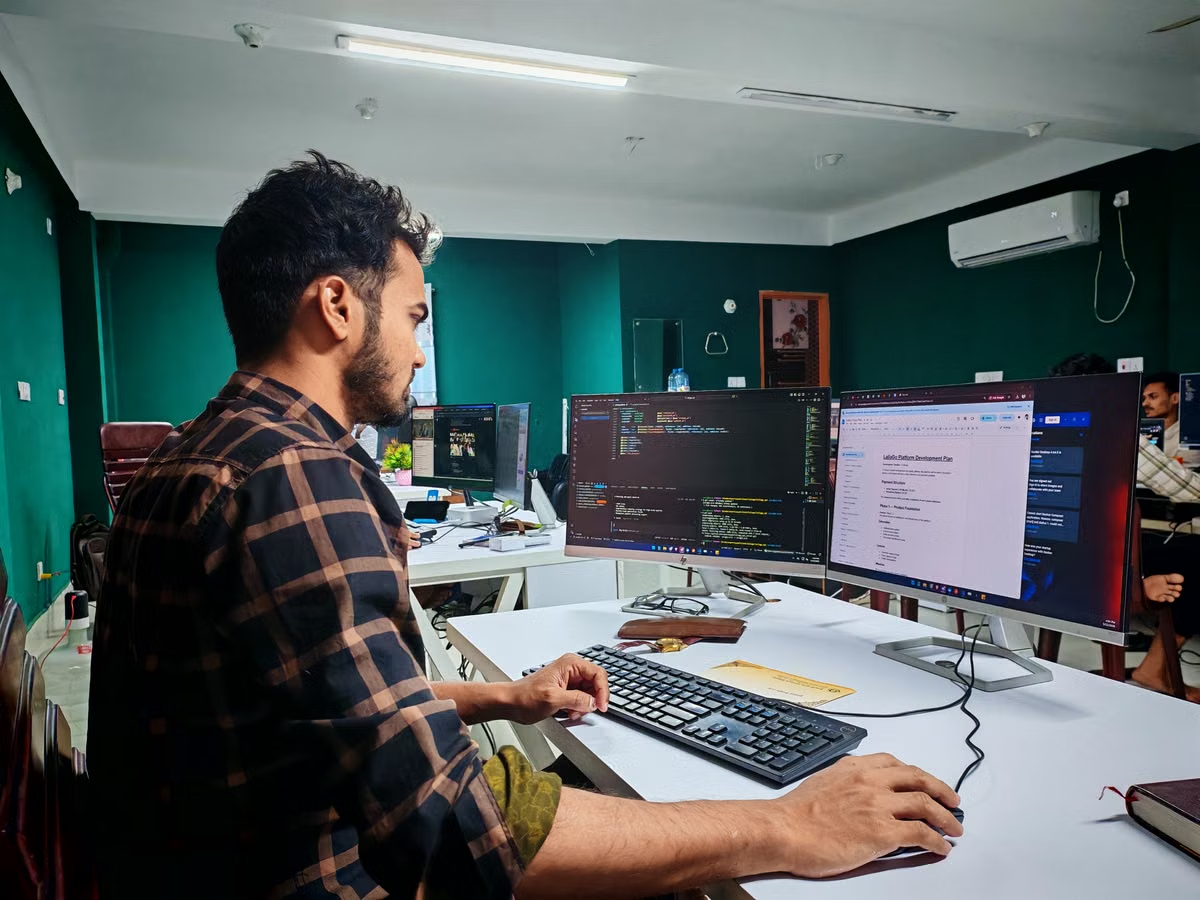
Codex App for team development fits best when you run several independent tasks in isolated worktrees and treat every result as a reviewable change—not as an approved release.
Use your local Mac for short, interactive work. Move long-running, multi-repository, or shared workloads to a dedicated account or remote Mac node only after testing the workflow with a real repository.
Who should read this: You need to manage several coding agent tasks without losing track of branches, tests, permissions, or ownership. You may also be an engineering lead choosing a team deployment model, or an administrator responsible for access records and workspace isolation.
Last updated September 4, 2026. Product capabilities and administration details were checked against OpenAI’s official Codex App announcement, the official Codex overview, and the Codex enterprise management guidance. Re-test the workflow after application, account, or policy changes.
What Codex App changes for a Mac development workflow
The Codex App is useful because it gives you a central place to start, monitor, and inspect multiple coding tasks. OpenAI describes the app around parallel work, worktrees, and managing tasks from a Mac interface. That makes it different from treating one coding agent session as a direct replacement for your editor or terminal workflow. See the official Codex App product explanation for the current capability boundary.
The important purchasing and deployment question is not whether an agent can produce code. It is whether your team can contain, inspect, test, and attribute that code.
For a solo developer, the main benefit is attention management. You can send one task to investigate a failing test, another to prepare a small refactor, and a third to document an unfamiliar module. Each task should have a narrow objective, an explicit repository, and an isolated worktree. You then review the resulting diffs instead of switching blindly between unfinished sessions.
For a team, the app should sit before your normal engineering controls:
- The task brief defines scope, files, expected behavior, and test commands.
- The agent creates a proposed change.
- A developer reviews the diff and commits it at an appropriate granularity.
- Existing unit tests, static checks, and CI decide whether the change is technically acceptable.
- A human owner approves merge, signing, deployment, or production changes.
Codex App is not an automatic release system. Do not grant it permission to bypass your pipeline simply because it can perform repository operations.
Parallel work needs stronger boundaries than more CPU
Can Codex App run several coding tasks at once? The useful answer is yes, provided “at once” does not mean “inside one shared directory.” Parallel task management is valuable only when the underlying state is separated.
A safe worktree policy includes these boundaries:
- Repository boundary: assign an approved repository to each task.
- Worktree boundary: create a separate worktree or branch for every active change.
- File boundary: identify generated files, lockfiles, migrations, and shared configuration that may still collide.
- Environment boundary: give each task the minimum environment variables and tools it needs.
- Test boundary: prevent parallel jobs from corrupting the same local database, cache, port, or test fixture.
- Review boundary: require a named owner to inspect the final diff.
The hidden failure mode is not always a textual merge conflict. Two agents can edit different files while changing incompatible assumptions. One may update an API contract while another changes its caller. A clean Git merge does not prove that the resulting behavior is correct.
Use task descriptions that state the acceptance test before the agent starts. For example, request a focused change, name the relevant test command, require a summary of files changed, and ask the agent to identify unresolved assumptions. This gives the reviewer something concrete to verify.
OpenAI’s Codex code review guidance supports treating generated work as material for review rather than unquestioned output. Your internal policy should go further by defining who may approve a change and what evidence must accompany it.
Scenario: one developer, several unrelated requests
Suppose you maintain an application and need an investigation into a test failure, a documentation correction, and a small dependency-related refactor. These tasks can run in parallel because their objectives are independent. They should still use separate worktrees, separate task notes, and separate test results.
The fastest way to create confusion is to let every task write to the same checkout. The agent may see uncommitted changes from another task, infer the wrong baseline, or include unrelated edits in a final diff. If you cannot explain which task created a line, your review process has already lost control.
Team collaboration requires a review contract
A small team should not share an informal rule such as “let Codex clean this up.” That phrase hides the scope, risk, and ownership of the work.
Create a short task contract for every agent request:
- Purpose: what user or engineering problem is being solved.
- Allowed scope: repository, directories, and files the agent may inspect or edit.
- Deliverable: patch, test update, analysis note, or documentation change.
- Test requirement: commands that must pass and tests that may not be skipped.
- Commit policy: whether the agent may create a commit and how narrowly it must be scoped.
- Reviewer: the person responsible for checking behavior and security.
- Escalation: what the agent must stop and ask about instead of guessing.
This contract reduces repeated prompting and protects the team from context loss. It also makes handoff easier: the next developer can understand what was attempted without reconstructing a long agent conversation.
Keep commit granularity aligned with review size. A single focused behavior change is easier to inspect than a broad commit containing formatting, dependency changes, generated artifacts, and unrelated cleanup. The correct unit depends on your repository, but the rule is simple: a reviewer should be able to explain why every changed file belongs to the task.
Benefits and drawbacks for a small team
Advantages
- Several independent investigations can progress without one person keeping every session open.
- Reviewers can inspect diffs and task summaries from a central workflow.
- Worktrees make parallel ownership visible.
- A dedicated Mac can preserve a fixed development environment for repeatable tasks.
- Background work can continue without tying up a developer’s interactive terminal.
Costs and risks
- More worktrees consume disk space and require cleanup ownership.
- Parallel tests can compete for ports, databases, caches, and network services.
- Agents may expose more repository context than a single focused session.
- Subscription limits, task quotas, and account permissions may vary; check the current Codex usage guidance before promising capacity to a team.
- A central node becomes an operational dependency that needs access review, patching, monitoring, and recovery procedures.
Do not measure success by the number of tasks started. Measure completed, reviewed, tested changes per workday, along with the number of abandoned worktrees and incidents caused by incorrect access.
Long-running work belongs on an operated node when continuity matters
A personal Mac is convenient for interactive coding. It is less predictable as a shared service when the lid closes, the user changes networks, the machine reboots, or another process consumes disk and memory.
Before placing a long Codex task on a remote Mac, inspect the complete execution path:
- Sleep and power: confirm the node remains available for the intended work period.
- Network recovery: test what happens after a temporary disconnect or VPN change.
- Disk growth: account for repositories, worktrees, dependency caches, build artifacts, and logs.
- Process supervision: decide how you detect a stalled task and who receives the alert.
- Human confirmation: document which operations must pause for approval.
- Session access: choose an authenticated remote access method and avoid sharing a single unrestricted login.
- Cleanup: remove abandoned worktrees and expired credentials after completion.
OpenAI’s official guidance on running Codex safely is the right baseline for permission and execution decisions. Its principles should be applied to the Mac host as well as the agent session.
A remote Mac is not automatically safer. It is easier to standardize only when you operate it as a controlled environment. If every developer installs different tools, keeps personal credentials in shell profiles, and uses the same administrator account, the node merely centralizes unmanaged risk.
For remote operation, separate at least three identities:
- The human administrator who maintains the host.
- The project account used for development tasks.
- The agent session that receives only the permissions required for its assignment.
This separation makes access removal more practical when a project ends or a team member leaves. It also limits the impact of a prompt that asks the agent to inspect unrelated repositories.
For teams comparing local and remote operation, Kvmjet’s Mac infrastructure overview can help you frame questions about host access, connectivity, and node operations before you test a deployment.
Repository and credential isolation must be designed before rollout
The most serious Codex App deployment mistake is to start with credentials. Start with data classification and repository scope instead.
Define which repositories are permitted, which are prohibited, and which require a separate approval path. Classify source code, customer records, production configuration, signing material, and incident data. Do not place production secrets, signing certificates, customer data, or long-lived access tokens in prompts, task notes, or logs.
Use these controls as a minimum:
- Store project-specific variables outside the prompt whenever possible.
- Use short-lived tokens with repository and action restrictions.
- Keep production credentials off the development node.
- Block access to unrelated repositories at the account or host layer.
- Review shell profiles, credential helpers, SSH configuration, and cached tokens.
- Set a retention rule for task transcripts and logs.
- Revoke access when a project ends, not only when a person leaves.
- Record who approved access to external tools and network resources.
The official enterprise management documentation should be checked during procurement and again during rollout. Do not assume that an account type provides every control your compliance team expects. Verify the actual workspace permissions, administrative roles, audit records, and data handling settings available to your organization.
Operational warning: Never use a production repository as the first acceptance test. Create a representative, sanitized repository with realistic build steps, private dependencies, test services, and failure cases. You need to evaluate containment before you evaluate speed.
CI and release approval remain separate gates
A coding agent can draft a patch, update tests, explain a failure, or prepare a review summary. None of those activities should grant it authority to merge unreviewed code, sign a release, change production infrastructure, or publish an artifact.
Keep the following gates independent:
- Agent output: proposed code and explanation.
- Developer review: correctness, maintainability, security, and scope.
- Automated validation: unit tests, static analysis, dependency checks, and build verification.
- Repository approval: merge permissions owned by designated maintainers.
- Release approval: signing, deployment, and production changes handled by a separate role.
This separation matters even when the task looks low risk. Generated code may pass a narrow test while violating an API assumption, introducing an unsafe default, or modifying a configuration file outside the original intent.
If a test fails, require the agent to explain the failure and propose a bounded next step. Do not authorize unlimited retries. Repeated automated changes can obscure the original diff and consume usage without improving the result.
Which Mac deployment model fits your workload?
Use this comparison before purchasing or assigning a node. The choice should follow task duration, sharing requirements, and control needs rather than enthusiasm for parallel execution.
| Deployment model | Best fit | Main controls required | Main weakness | Decision |
|---|---|---|---|---|
| Personal Mac | Short, interactive tasks owned by one developer | Local worktrees, repository scope, manual review | Sleep, network changes, and user activity interrupt continuity | Choose when the developer stays engaged |
| Dedicated account on a personal or office Mac | One developer running several independent tasks | Separate account, isolated worktrees, token restrictions, cleanup policy | Still depends on one physical machine and its maintenance | Choose for solo multi-tasking |
| Dedicated remote Mac node | Long tasks, fixed toolchains, or work beyond one session | Host access, process monitoring, network recovery, logs, disk policy, human approval | Adds node operations and recurring access management | Choose after a real-repository pilot |
| Shared team node | Multiple developers with controlled project boundaries | Individual identities, repository allowlists, role separation, audit review, scheduled cleanup | Highest risk of cross-project access and resource contention | Use only with formal governance |
The table is a decision aid, not a promise that every Codex App feature is available in every account or environment. Confirm current permissions and quotas before you scale the number of users or tasks.
A deployment sequence you can validate
Follow this sequence with a sanitized but realistic repository:
- Define the baseline. Record the repository state, required tools, test commands, expected outputs, and data that must never enter the task.
- Create the identity model. Decide whether the workflow uses a personal account, a dedicated project account, or separate team identities. Document administrator and reviewer responsibilities.
- Build isolation. Create one branch or worktree per task. Confirm that a task cannot read or modify an unrelated repository through the same workspace.
- Run a small parallel test. Start independent tasks with deliberately different scopes. Check that each task sees the intended files and that generated artifacts do not collide.
- Force a conflict case. Give two tasks related but separate changes, then verify that your review process catches incompatible assumptions instead of relying only on a clean merge.
- Exercise failure recovery. Interrupt the network, stop a process, fill a controlled amount of disk space, or allow a test service to fail. Confirm how the operator detects and resumes the task.
- Validate the review gate. Require a diff summary, test output, reviewer assignment, and explicit approval before merging.
- Inspect logs and secrets. Search task output, shell history, environment files, and caches for tokens, certificates, customer data, or unrelated repository content.
- Revoke access. Remove the project account, tokens, worktrees, and remote access. Confirm that the former task identity can no longer reach the repository or node.
- Decide scale. Expand only if the pilot produces reviewable changes without unacceptable access leakage, resource contention, or operator overhead.
For remote Mac operations, document the node owner, maintenance window, backup responsibility, and emergency contact. Kvmjet’s help center is a useful place to review operational questions before you move from a local pilot to a remote workflow.
Current setup versus a rented Mac node
Your current local setup is usually the better choice for short tasks because it has no provisioning step and keeps the developer close to the code. Its limits become visible when the Mac sleeps, the developer needs the machine for unrelated work, the network changes, or several projects compete for the same credentials and disk.
A dedicated Mac node can provide a cleaner boundary for long-running work, fixed tools, and remote access. It still requires you to configure permissions, clean worktrees, protect secrets, and preserve human approval. Renting from Kvmjet is therefore most useful when continuity and separation matter more than keeping every task on a personal laptop; it is not a reason to move a stable, heavy workload away from a machine you already own without comparing operating cost and control.
If your pilot confirms long tasks, fixed tooling, or repository isolation as the real requirement, review a suitable Kvmjet remote Mac node and validate it with the acceptance sequence above. For a single developer handling short tasks, start locally and keep the scope small before committing to a shared deployment.
Deploy a Dedicated Mac Workflow with Kvmjet
Launch a remote M4 Mac node for parallel development, testing, and long-running jobs.
Give each project a dedicated workspace without interrupting your personal Mac environment.